

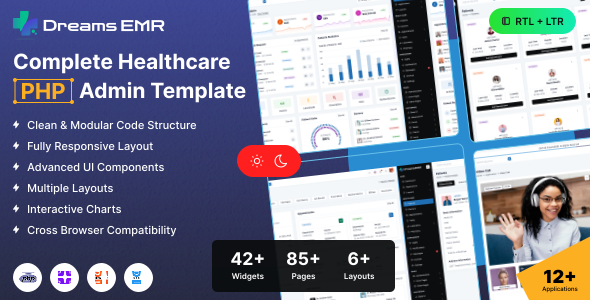
System Overview
The Dreams EMR template requires a modern web server environment with CodeIgniter 4 framework support, PHP 8.1+ compatibility, essential extensions, and development tools for optimal performance and development experience.
Core Technologies
Backend Framework
CodeIgniter 4.7.4
Frontend Framework
Bootstrap 5.3.8
Core Language
PHP 8.4
System Requirements
Node.js
For SCSS compilation
PHP Extensions
mysql, curl, json, mbstring, xml
Composer
For PHP package dependency management
Text Editor
VS Code, Sublime Text, or any code editor
Development Tools
Local Server
XAMPP/WAMP/MAMP
Version Control
Git
Web Browser
Any modern browser
Important Note
Ensure all PHP extensions are enabled in your server configuration. For production deployment, consider using a managed hosting service that supports CodeIgniter 4 and PHP 8.2+.
Core Features
Patient Management
Registration, profiles, medical history tracking, and comprehensive patient data management.
Doctor Management
Doctor profiles, specialties, schedule management, and professional credential tracking.
Appointment System
Calendar integration, email notifications, status tracking, and automated scheduling.
Billing & Invoices
Invoice generation, payment tracking, financial reports, and automated billing.
Medical Records
Secure patient data storage, retrieval, and comprehensive medical history management.
Dashboard & Analytics
Real-time insights, performance metrics, and comprehensive healthcare analytics.
Technical Features
CodeIgniter 4 Framework
Modern MVC architecture
Composer Management
Dependency & autoloading
Database ORM
Active Record & Query Builder
Database Migrations
Version control for database schema
Modular Structure
Libraries, Helpers & Filters
Routing System
Flexible URL routing & middleware
Configuration
Environment-based config
Debugging Tools
Built-in debug bar & logging
Performance
Optimized for speed & caching
UI/UX Features
Modern Design
Creative and contemporary UI
Responsive Bootstrap 5.3.8
Mobile-first responsive design
SCSS Styling
Advanced CSS preprocessing
Font Awesome & Tabler
Comprehensive icon libraries
Easy Customization
Color and font customization
W3C Validated
Cross-browser compatibility
Project Overview
The CodeIgniter project follows standard CodeIgniter 4 directory structure
with the main application located in dreams-emr/ci/. The application includes all
standard CodeIgniter directories for a complete application structure.
dreams-emr/
└── ci/
    ├── app/
    │   ├── config/
    │   │   ├── autoload.php
    │   │   ├── database.php
    │   │   └── app.php
    │   ├── controllers/
    │   │   ├── BaseController.php
    │   │   ├── Home.php
    │   ├── models/
    │   ├── views/
    │   │   ├── layouts/
    │   │   │   ├── mainlayout.php
    │   │   ├── partials/
    │   │   │   ├── header.php
    │   │   │   ├── footer.php
    │   │   │   └── sidebar.php
    │   │   ├── pages/
    │   │   │   └── index.php
    │   ├── libraries/
    │   ├── helpers/
    │
    ├── system/
    │   ├── core/
    │   ├── libraries/
    │   ├── helpers/
    │   └── database/
    │
    ├── database/
    │   ├── migrations/
    │   ├── seeds/
    │   └── fixtures/
    │
    ├── public/
    │   ├── index.php
    │   ├── assets/
    │   │   ├── css/
    │   │   │   ├── style.css
    │   │   │   └── bootstrap.min.css
    │   │   ├── js/
    │   │   │   ├── jquery.min.js
    │   │   ├── fonts/
    │   │   ├── img/
    │   │   ├── plugins/
    │   │   └── scss/
    │   └── uploads/
    │       └── reports/
    │
    ├── writable/
    │   ├── cache/
    │   ├── logs/
    │   ├── session/
    │   └── uploads/
    │
    ├── tests/
    │   ├── unit/
    │   └── integration/
    │
    ├── .env
    ├── .gitignore
    ├── composer.json
    ├── package.json
    ├── spark
    └── README.md
Views/layouts/mainlayout.php: Master Layout Template
This file serves as the main layout template using CodeIgniter's view system. It provides the common HTML structure and includes partial views for consistent page elements.
Uses <?= $this->include('partials/...') ?> for partial includes and <?= $this->renderSection('content') ?> for content injection.
<!DOCTYPE html>
<?= $this->include('partials/theme-settings') ?>

<head>

    <?= $this->include('partials/title-meta') ?>

    <?= $this->include('partials/head-css') ?>

</head>

<?= $this->include('partials/body') ?>

	<div class="main-wrapper">

		<?= $this->include('partials/menu') ?>

		<?= $this->renderSection('content') ?>

	</div>

	<?= $this->include('partials/modal-popup') ?>

	<?= $this->include('partials/vendor-scripts') ?>

</body>
</html>
Views/index.php: Content Page Template
Each view extends the main layout using <?= $this->extend('layouts/mainlayout') ?> and defines content sections with <?= $this->section('content') ?>.
This approach provides clean separation of concerns and maintains consistent layout across all pages while allowing flexible content.
<?= $this->extend('layouts/mainlayout') ?>

<?= $this->section('content') ?>

    <!-- Page HTML content goes here -->

    <div class="page-wrapper">

        <div class="content">
            <!-- Your page content -->
        </div>

		<?= $this->include('partials/footer') ?>

    </div>

<?= $this->endSection() ?>
CodeIgniter View System Benefits
- Template Inheritance: Views extend layouts for consistent structure
- Partial Views: Reusable components like headers, footers, and navigation
- Content Sections: Flexible content injection without output buffering
- Clean Separation: Logic and presentation are clearly separated
Follow these steps to set up Dreams EMR CodeIgniter 4 application on your local development environment. This guide covers environment setup, CodeIgniter installation, and configuration.
Installation Steps
Environment Setup
Ensure you have the required software installed for CodeIgniter 4:
Project Setup
Extract the Dreams EMR CodeIgniter project to your web server directory:
dreams-emr/ci/ folder structure
Install Dependencies
Open terminal/command prompt in the ci/ directory and run:
composer installDatabase Configuration
Create a MySQL database and configure CodeIgniter database settings:
app/Config/Database.php
Access Application
Start your web server and access the CodeIgniter application via browser:
php spark servehttp://localhost:8080/
yourdomain.com/ci/public
Overview
Sass (Syntactically Awesome Style Sheets) is a CSS preprocessor that extends CSS with variables, nesting, mixins, and more. This guide covers the installation and setup of Sass for the Dreams EMR template.
Prerequisites
Node.js Installation
Before installing Sass, ensure you have Node.js installed on your system:
https://nodejs.org/en/download/
Installation Steps
Install NPM Package Manager
Install the latest version of npm package manager:
npm install -g npm@latestInstall Sass Globally
Install Dart Sass globally using npm:
npm install -g sassVerify Installation
Check if Sass is installed correctly:
sass --versionCompilation Methods
| Method | Description | Default Sass Command | npm Script Command | |
|---|---|---|---|---|
| One-time Compilation (Production) |
Compile SCSS files once for production with minified output |
sass public/assets/scss/main.scss:public/assets/css/style.css --style=compressed
|
npm run sass
|
|
| Watch Mode (Development) |
Automatically recompile on file changes for real-time development |
sass public/assets/scss/main.scss:public/assets/css/style.css --watch
|
npm run sass:watch
|
|
| Run Without Source Map (Production/Optional) |
Compile SCSS without generating source maps, ideal for production builds |
sass public/assets/scss/main.scss:public/assets/css/style.css --style=compressed --no-source-map
|
npm run sass:no-map
|
Best Practices
Development
- Use watch mode for real-time updates
- Enable source maps for debugging
- Organize SCSS with partials
Production
- Use compressed output style
- Minimize file size
- Optimize for performance
Overview
The Dreams EMR CodeIgniter application implements an intelligent title generation system using CodeIgniter helpers that analyzes URI segments and converts them into user-friendly page titles. This system processes URL segments through multiple transformation steps to create readable, properly formatted titles.
app/Helpers/title_helper.php
This helper contains the title generation logic
Key Features
Smart Acronym Detection
Converts acronyms to uppercase
Smart Suffix Detection
Automatically adds "Icons" and "Charts" suffixes
Word Processing
Converts URI segments to proper title case
SEO Optimized
Creates search-engine friendly titles
CodeIgniter Integration
Uses CodeIgniter URI service and helper system
Professional Appearance
Consistent and polished title formatting
Examples
- index → "Admin Dashboard"
- appointment-consultation → "Appointment Consultation"
- ui-alerts → "Alerts"
- icon-bootstrap → "Bootstrap Icons"
- chart-js → "JS Charts"
How It Works
- CodeIgniter URI service reads current URL segments
- Gets the last segment from the URI
- Converts hyphens to spaces
- Applies smart acronym detection
- Generates final title
Title Format
All generated titles follow this consistent format:
<title> {Generated Title} | Dreams EMR - Responsive Bootstrap 5 Medical Admin Template</title>For appointment-consultation URI segment:
Appointment Consultation | Dreams EMR - Responsive Bootstrap 5 Medical Admin Template
The system automatically handles title generation using CodeIgniter helpers. For custom acronyms and suffixes like "Icons" or "Charts", you may need to manually add them to the title generation logic in app/Helpers/title_helper.php.
The Dreams EMR CodeIgniter app uses JSON files to store and retrieve data through a helper system. This offers a simple and lightweight alternative to databases and works smoothly with CodeIgniter’s MVC structure.
Key Features
CodeIgniter Helper
Dedicated json_helper.php for data loading
Error Handling
Automatic fallback to empty array on errors
Fast Processing
Direct file access with helper functions
Easy Maintenance
Simple to read, modify, and version control
MVC Integration
Seamlessly works with CodeIgniter controllers
Structured Data
Consistent JSON schema with helper validation
Complete Implementation Flow
JSON Helper Function
app/Helpers/json_helper.php
This helper automatically loads and validates JSON files
// app/Helpers/json_helper.php
<?php

if (!function_exists('load_json')) {
    function load_json(string $fileName): array
    {
        $file = ROOTPATH . 'public/assets/json/' . $fileName;

        if (is_file($file)) {
            $jsonContent = file_get_contents($file);
            return json_decode($jsonContent, true) ?? [];
        }

        return [];
    }
}
Controller Implementation
app/Controllers/PatientsController.php
Controller loads JSON data and passes it to the view
// app/Controllers/PatientsController.php
<?php

namespace App\Controllers;

class PatientsController extends BaseController
{
    public function all_patients_list()
    {
        // Load JSON data using helper function
        $data['patients'] = load_json('all-patients.json');
        $data['totalPatients'] = count($data['patients']);

        // Pass data to view
        return view('all-patients-list', $data);
    }
}
Routes Configuration
app/Config/Routes.php
Define URL routes that map to controller methods
// app/Config/Routes.php
<?php

use CodeIgniter\Router\RouteCollection;

/**
 * @var RouteCollection $routes
*/

// Main routes using Home controller
$routes->get('calendar', 'Home::Calendar');
$routes->get('video-call', 'Home::Video_call');

// Patient details routes
$routes->get('patient-details-appointments', 'PatientDetailsController::patientDetailsAppointments');
$routes->get('patient-details-visit-history', 'PatientDetailsController::patientDetailsVisitHistory');

// Specific list routes
$routes->get('all-patients-list', 'PatientsController::all_patients_list');
$routes->get('all-doctors-list', 'DoctorsController::all_doctors_list');

// Other routes
$routes->get('pharmacy', 'PharmacyController::Pharmacy');
$routes->get('staffs', 'StaffsController::Staffs');
View Implementation
app/Views/all-patients-list.php
View displays the JSON data in a user-friendly format
// app/Views/all-patients-list.php
<div class="table-responsive">
	<table class="table table-hover table-center mb-0">
		<thead>
			<tr>
				<th>ID</th>
				<th>Name</th>
				<th>Email</th>
				<th>Phone</th>
				<th>Actions</th>
			</tr>
		</thead>
		<tbody>
			<?php if (!empty($patients)): ?>
				<?php foreach ($patients as $patient): ?>
					<tr>
						<td><?= htmlspecialchars($patient['id']) ?></td>
						<td><?= htmlspecialchars($patient['name']) ?></td>
						<td><?= htmlspecialchars($patient['email']) ?></td>
						<td><?= htmlspecialchars($patient['phone']) ?></td>
						<td>
							<a href="<?= base_url('patient-details') ?>"
								class="btn btn-sm btn-primary">View</a>
						</td>
					</tr>
				<?php endforeach; ?>
			<?php else: ?>
				<tr>
					<td colspan="5" class="text-center">No data found</td>
				</tr>
			<?php endif; ?>
		</tbody>
	</table>
</div>
Complete Flow Summary
- Helper:
json_helper.phpprovides theload_json()function - Controller: Uses helper to load JSON data and prepare it for views
- Routes:
Routes.phpmaps URLs to controller methods - View: Displays the JSON data in HTML format with proper error handling
Overview
This application supports RTL (Right-to-Left) languages like Arabic and Hebrew. It uses conditional CSS and RTL layout templates to provide proper RTL support
Conditional CSS Loading
RTL-specific CSS is conditionally loaded based on the current page in head-css.php:
// Regular Bootstrap CSS for non-RTL pages
<?php if ($page !== 'layout-rtl') {   ?>
    <!-- Bootstrap CSS -->
    <link rel="stylesheet" href="<?php echo base_url('assets/css/bootstrap.min.css'); ?>">
<?php }?>

// RTL Bootstrap CSS for RTL pages
<?php if ($page === 'layout-rtl') {   ?>
    <!-- Bootstrap CSS -->
    <link rel="stylesheet" href="<?php echo base_url('assets/css/bootstrap.rtl.min.css'); ?>">
<?php }?>
Key Features
- Conditional CSS Loading - Automatically switches between regular and RTL Bootstrap CSS based on page type
- CodeIgniter View System - Uses CodeIgniter's partial system for dynamic CSS loading
- Bootstrap RTL Support - Leverages Bootstrap's built-in RTL CSS framework
- Page-Based Detection - Automatically detects RTL pages and loads appropriate stylesheets
The conditional CSS loading automatically detects RTL pages and loads appropriate Bootstrap stylesheets. This approach ensures that RTL-specific styles are only loaded when needed, improving performance and maintainability.
Overview
The template includes a live dark mode toggle in the header that allows users to switch between light and dark themes instantly. This feature provides better user experience in different lighting conditions.
How to Access
Dark mode is accessible through the header toggle button:
<!-- Light/Dark Mode Button -->
<div class="header-item d-none d-sm-flex me-2">
    <button class="topbar-link btn topbar-link" id="light-dark-mode" type="button">
        <i class="ti ti-moon fs-16"></i>
    </button>
</div>
Implementation
Dark mode is implemented using JavaScript in theme-script.js:
// JavaScript implementation in theme-script.js
document.getElementById("light-dark-mode").addEventListener("click", function(e) {
    "light" === config.theme ?
        changeLayoutColor("dark") :
        changeLayoutColor("light")
});
Key Features
- Live theme switching without page reload
- User preference persistence
- Bootstrap 5 dark theme integration
- Improved readability in low light
The dark mode toggle is available in the header on all pages. Users can switch themes instantly without losing their current work.
Use Font Awesome icons with spesific class
	<!DOCTYPE html>
	<html lang="en">
		<head>
			<link rel="stylesheet" href="<?php echo base_url('assets/plugins/fontawesome/css/fontawesome.min.css'); ?>">
			<link rel="stylesheet" href="<?php echo base_url('assets/plugins/fontawesome/css/all.min.css'); ?>">
		</head>
	</html>
	<i class="fas fa-times"></i>
	<i class="fas fa-chevron-down"></i>
	<i class="fa-regular fa-user"></i>
Dreams EMR is developed by Dreams Technologies and is available under both Envato Extended & Regular License options.
Regular License
Usage by either yourself or a single client is permitted for a single end product, provided that end users are not subject to any charges.
Extended License
For use by you or one client in a single end product for which end users may be charged.
What are the main differences between the Regular License and the Extended License?
If you operate as a freelancer or agency, you have the option to acquire the Extended License, which permits you to utilize the item across multiple projects on behalf of your clients.
Need Support?
If this documentation does not address your questions, please feel free to contact us via email at support@dreamstechnologies.com
Reach the team at GMT+5:30. Typical reply within 12–24 hours on weekdays — rarely up to 48 hrs during holidays. Support is available to verified buyers for template-related issues.
Contact SupportImportant Note : We strive to offer top-notch support, but it's only available to verified buyers and for template-related issues such as bugs and errors. Custom changes and third-party module setups are not covered.
Do you need a customized application for your business?
If you need a customized application for your business depends on your specific requirements and goals, Please contact us. Customization can be the key to success, ensuring your project perfectly aligns with your unique goals and requirements.
Don't Miss Out on the Benefits of Customization!
Unlock the potential of your project. It's time to ensure your project isn't another cookie-cutter solution but truly unique and effective one.
Discover how customization can make a difference in your project's success. Let's create a solution that's as unique as your vision!
We'll tailor the application to meet your specific needs and preferences.
We will upload your website to the server and ensure it is live.

Thank You
Thank you once again for downloading Dreams EMR.
We hope you're enjoying your experience, and we kindly request that you take a
moment to share your valuable review and rating with us.